
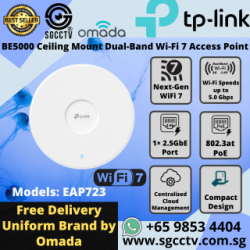

Omada Access Point EAP723
Availability: In Stock
$338
Omada Access Point EAP723 BE5000 Ceiling Mount Dual-Band Wi-Fi 7 ACCESS POINT SINGAPORE Repair Replace NEWTP-Link Omada EAP723 BE5000 Wi-Fi 7 Access Point Singapore | Ceiling Mount 2.5GbE PoE+ | Wi-Fi Repair & ReplacementThe TP-Link Omada EAP723 is a professional dual-band Wi-Fi 7 ceiling-mount access point designed for offices, retail shops, schools, clinics, warehouses and commercial networks that require faster wireless performance, centralized management and seamless multi-AP coverage.For the Singapore product listing, TP-Link specifies BE5000 dual-band Wi-Fi 7, delivering theoretical wireless rates up to 4,324Mbps on 5GHz + 688Mbps on 2.4GHz, together with a 2.5GbE Ethernet port and 802.3at PoE+. (TP-Link)Important regional note: EAP723 specifications vary by region and hardware version. TP-Link's current Singapore page lists the EAP723 as BE5000 with up to 240MHz bandwidth, while some EU versions are BE3600/160MHz. For Singapore marketing, confirm the hardware/regional version actually supplied. (TP-Link)Next-Generation Dual-Band Wi-Fi 7The EAP723 supports IEEE 802.11be Wi-Fi 7, while remaining compatible with earlier Wi-Fi standards including 802.11ax/ac/n/a/b/g. (TP-Link)Its specified maximum wireless rates are:5GHz: up to 4,324Mbps2.4GHz: up to 688MbpsCombined: approximately 5.0Gbps / BE5000 classThese are theoretical physical-layer rates. Actual throughput depends on the client device, channel width, interference, Internet connection and network infrastructure. (TP-Link)2.5GbE Multi-Gigabit Network PortA Wi-Fi 7 AP should not be unnecessarily bottlenecked by a traditional 1Gbps uplink.The EAP723 provides:1 × 2.5 Gigabit Ethernet PortThis allows the AP to connect to a compatible 2.5GbE PoE+ switch and better utilise the capacity available from Wi-Fi 7. (TP-Link)A higher-performance business network can therefore be designed as:INTERNET → MULTI-GIGABIT ROUTER → 2.5GbE PoE+ SWITCH → EAP723 → Wi-Fi 7 CLIENTS802.3at PoE+ – Power and Data Through One CableThe EAP723 supports IEEE 802.3at PoE as well as 12V DC power. TP-Link's Singapore V1 specification lists maximum consumption at approximately 19.5W using PoE. (TP-Link)PoE simplifies installation because:ONE CAT6 CABLE = NETWORK + POWERThere is no need to install a conventional AC socket beside every ceiling-mounted AP when a suitable PoE+ switch is used.For business-critical installations, the PoE switch and network gateway can also be protected by a properly sized UPS.Wi-Fi 7 4K-QAMWi-Fi 7 introduces 4K-QAM, allowing more data to be encoded into each transmission symbol when both the AP and client support the feature and radio conditions are sufficiently good.TP-Link lists 4K-QAM among the EAP723's Wi-Fi 7 capabilities. (TP-Link)The practical benefit is greater potential wireless efficiency and throughput for compatible devices.Multi-Link Operation – MLOCurrent EAP723 versions also support Multi-Link Operation (MLO). (TP-Link)MLO is an important Wi-Fi 7 technology that allows compatible devices to use multiple wireless links in a coordinated manner, helping improve throughput, reliability and latency under appropriate conditions.Both the client and AP must support the relevant Wi-Fi 7 functions to obtain these benefits.Up to 240MHz Channel BandwidthTP-Link's Singapore EAP723 V1 page specifies support for 240MHz bandwidth on the applicable 5GHz implementation. (TP-Link)This wider channel capability contributes to the BE5000 performance rating.However, available channels and channel widths depend on the regulatory domain, firmware, interference environment and client capability.250+ Concurrent ClientsTP-Link specifies support for 250+ wireless clients for the EAP723. (TP-Link)This does not mean 250 users can simultaneously download at maximum Wi-Fi speed.Practical client capacity depends heavily on:Internet Bandwidth • Application Traffic • RF Interference • Client Capability • AP Placement • User DensityFor high-density projects, multiple properly positioned APs are generally preferable to attempting to cover an entire facility with one AP.Up to 140m² Specified CoverageTP-Link gives a laboratory-derived coverage figure of approximately:140m² / 1,500ft²for the EAP723. (TP-Link)Actual Singapore office coverage can differ substantially because of:Concrete Walls • Fire-Rated Walls • Glass • Metal Cabinets • Server Racks • Warehouse Shelving • Other Wi-Fi Networks • Ceiling HeightTherefore, AP quantity should be based on the actual site environment rather than simply dividing floor area by 140m².Omada Centralized ManagementThe EAP723 integrates into the TP-Link Omada SDN ecosystem.TP-Link supports centralized management using:Omada Cloud-Based ControllerOmada Hardware ControllerOmada Software ControllerOmada App (TP-Link)This is particularly valuable when a customer has multiple APs or multiple locations.SITE A ─┐SITE B ─┼→ OMADA MANAGEMENT → WEB / APPSITE C ─┘Administrators can manage compatible Omada infrastructure centrally instead of configuring every access point independently.Seamless RoamingThe EAP723 supports Seamless Roaming when deployed with the appropriate Omada controller architecture. (TP-Link)This is valuable in larger offices and commercial premises where users move between multiple AP coverage areas.For example:EAP723 #1 → WALK THROUGH OFFICE → EAP723 #2 → EAP723 #3Compatible clients can transition between APs as the network manages roaming.Actual roaming behaviour still depends partly on the wireless client.Omada MeshOmada Mesh is also supported with the appropriate Omada controller. (TP-Link)Mesh can be useful where Ethernet cabling to every AP is impractical.However, for a new commercial installation, a wired 2.5GbE Ethernet backhaul is generally preferable where practical because it gives each AP a dedicated wired connection rather than consuming wireless capacity for backhaul.Up to 16 SSIDsThe EAP723 supports up to 16 SSIDs — eight per wireless band. (TP-Link)This allows businesses to create separate wireless networks such as:STAFF Wi-FiMANAGEMENT Wi-FiGUEST Wi-FiIoT Wi-FiSECURITY / SERVICE Wi-FiThese SSIDs can be integrated with VLANs and appropriate firewall policies for stronger network segmentation.WPA3 Enterprise Wireless SecuritySecurity functions include:WPA3-Personal / EnterpriseWPA2-Personal / EnterpriseAccess ControlClient IsolationVLANRogue AP DetectionMAC AuthenticationCaptive Portal with the applicable controller architecture. (TP-Link)For commercial networks, security depends on the entire network architecture—not merely the AP's encryption standard.EAP723 for Office Wi-FiModern offices can have dozens or hundreds of wireless endpoints:Laptops • Smartphones • Tablets • Video Conferencing • Cloud Applications • NAS • Printers • IoTThe EAP723 provides a modern Wi-Fi 7 platform with a 2.5GbE uplink, making it suitable when upgrading an ageing Wi-Fi 4, Wi-Fi 5 or Wi-Fi 6 installation.EAP723 for Retail & Commercial PremisesRetail businesses increasingly require wireless connectivity for:POS • Staff Devices • Tablets • Guest Wi-Fi • Cloud Software • CCTV Management • IoTMultiple Omada APs can provide centrally managed coverage across the premises rather than relying on a single consumer router hidden behind a counter.EAP723 for Warehouse Wi-FiWarehouses present difficult RF conditions because of:Metal Racking • Stored Goods • Machinery • High Ceilings • Long AislesThe EAP723 can form part of a professionally planned warehouse Wi-Fi system, but AP locations should be designed according to the physical environment.A simple “one AP per 140m²” calculation is not recommended for complex warehouse environments.CCTV & Security System Network IntegrationModern security infrastructure increasingly relies on IP networking:CCTV • NVR • Door Access • Video Intercom • Wi-Fi • PoE Switches • Remote MonitoringOmada managed switches, gateways and access points can form part of the underlying network infrastructure.Where practical, fixed CCTV cameras and critical security equipment should generally remain on wired Ethernet, while wireless infrastructure serves mobile devices and applications that actually require Wi-Fi.Wi-Fi Access Point Repair SingaporePoor Wi-Fi does not automatically mean the access point is faulty.A professional troubleshooting process should check:PoE PowerNetwork CableRJ45 TerminationPoE SwitchRouter / GatewayInternet ConnectionVLAN ConfigurationIP Address / DHCPFirmware / ControllerRF InterferenceAccess Point HardwareThis prevents replacing an expensive AP when the real problem is a damaged cable or failed PoE switch.Access Point Replacement SingaporeReplacement may be more economical when an old AP is:Frequently Offline • Obsolete • Limited to Wi-Fi 4/5 • Insufficient Capacity • No Longer Supported • Unable to Meet Current Speed RequirementsAn EAP723 upgrade can provide:Wi-Fi 72.5GbEPoE+Centralized ManagementMeshSeamless RoamingWPA3Higher Client CapacityExisting switches should also be checked. Connecting a Wi-Fi 7 AP to an old 100Mbps switch would severely restrict performance.EAP723 Key SpecificationsSpecificationTP-Link Omada EAP723Wi-Fi StandardWi-Fi 7 / IEEE 802.11beSingapore RatingBE5000Wireless Bands2.4GHz + 5GHz2.4GHz RateUp to 688Mbps5GHz RateUp to 4,324MbpsCombined RateUp to ~5.0GbpsEthernet1 × 2.5GbEPoE802.3at PoE+DC Power12V / 1.5ACoverageUp to ~140m²*Clients250+*SSIDsUp to 16Wi-Fi 7 Features4K-QAM, MLO, Multi-RUsBeamformingYesBand SteeringYesLoad BalancingYesMeshYes*Seamless RoamingYes*VLANYesWPA3YesSNMPv1/v2c/v3InstallationCeiling / WallDimensions160 × 160 × 36.7mm*Controller, client, environmental and/or regional conditions apply depending on feature. (TP-Link)TP-Link Omada EAP723 Singapore – SGCCTVThe EAP723 is particularly suitable for businesses upgrading from ageing standalone wireless routers or older access points to a centrally managed commercial Wi-Fi architecture.BE5000 Wi-Fi 72.5GbE MULTI-GIGABIT802.3at PoE+250+ CLIENT CAPABILITYOMADA CENTRALIZED MANAGEMENTMESH + SEAMLESS ROAMINGWPA3 SECURITYSuitable for:OFFICE • RETAIL • SCHOOL • CLINIC • WAREHOUSE • SHOWROOM • COMMERCIAL BUILDING • SME NETWORKFor Wi-Fi troubleshooting, Access Point repair, replacement, PoE network upgrading and Omada deployment in Singapore:SGCCTV.com.sg10 Frequently Asked Questions1. Is TP-Link EAP723 a Wi-Fi 7 access point?Yes. The Singapore EAP723 supports IEEE 802.11be Wi-Fi 7 on its dual-band wireless platform. (TP-Link)2. Is the EAP723 BE5000 or BE3600?TP-Link's current Singapore EAP723 V1 page specifies BE5000, with 4,324Mbps on 5GHz plus 688Mbps on 2.4GHz. Other regional versions, particularly EU configurations, can be BE3600. Check the regional/hardware version before supply. (TP-Link)3. Does EAP723 support 6GHz?No. The EAP723 is a dual-band 2.4GHz + 5GHz Wi-Fi 7 AP. Customers requiring 6GHz should select an appropriate tri-band Omada Wi-Fi 7 model. (TP-Link)4. Does EAP723 have 2.5GbE?Yes. It has one 2.5 Gigabit Ethernet port, allowing a multi-gigabit wired uplink. (TP-Link)5. Can EAP723 be powered by PoE?Yes. It supports IEEE 802.3at PoE+. It can alternatively use 12V DC; TP-Link states the DC adapter is not included. (TP-Link)6. How many users can connect to EAP723?TP-Link specifies 250+ client capacity. Real-world capacity depends on user traffic, RF conditions and applications. (TP-Link)7. How much area can one EAP723 cover?TP-Link gives a laboratory-derived figure of approximately 140m² / 1,500ft². Actual coverage depends heavily on walls, interference, AP position and client devices. (TP-Link)8. Does EAP723 support seamless roaming?Yes, with an appropriate Omada SDN Controller deployment and compatible clients. (TP-Link)9. Can EAP723 replace an old Wi-Fi router?It can replace the wireless access-point function, but it is not an all-in-one Internet router. A router/gateway and suitable PoE/network switch may still be required.10. Should a faulty AP be repaired or replaced?First test the PoE supply, Ethernet cable, switch, IP/DHCP configuration, controller and RF environment. If the AP itself is obsolete or defective, replacing it with a Wi-Fi 7 model such as EAP723 can provide a longer-term network upgrade.15 Facebook Hashtags#TPLink #TPLinkOmada #Omada #EAP723 #WiFi7 #BE5000 #WiFi7Singapore #AccessPoint #WirelessAccessPoint #CeilingAccessPoint #2Point5GbE #PoEAccessPoint #AccessPointRepair #AccessPointReplacement #SGCCTVEAP723 BE5000 Ceiling Mount Wi-Fi 7 Access PointOverviewThe EAP723 is a BE5000 Dual-Band Wi-Fi 7 Ceiling Mount Access Point designed for businesses requiring high-performance wireless networking. With 5.0 Gbps speeds, Omada Mesh & Seamless Roaming, and advanced security features, this compact access point ensures optimal connectivity in office, retail, and hospitality environments.Key FeaturesWi-Fi 7 Performance: BE5000 speeds with 4324 Mbps on 5 GHz and 688 Mbps on 2.4 GHz.2.5G PoE+ Port: Provides high-speed connectivity and flexible deployment options.240 MHz Bandwidth: Enables many more simultaneous transmissions.Multi-RU Technology: Enhances network efficiency and minimizes latency.Advanced Security: Includes WPA3 encryption, Rogue AP Detection, and Secure Guest Network with up to 16 SSIDs.Omada Cloud Integration: Supports centralized management, Omada Mesh, and Seamless Roaming.Compact & Efficient Design: Ideal for business environments requiring high-speed, reliable networking.Technical SpecificationsWi-Fi Standard: 802.11be (Wi-Fi 7)Wireless Speed:5 GHz: 4324 Mbps2.4 GHz: 688 MbpsEthernet Port: 1 × 2.5G PoE+ (802.3at) PortChannel Bandwidth:5 GHz: Up to 240 MHz2.4 GHz: Up to 40 MHzSecurity:WPA3 EncryptionSecure Guest Network (Up to 16 SSIDs)Rogue AP DetectionCaptive Portal with SMS LoginManagement & Features:Omada Cloud SDN IntegrationOmada Mesh & Seamless RoamingZero-Touch Provisioning (ZTP)Auto Channel Selection & Power AdjustmentWhy Choose EAP723?High-Speed Wi-Fi 7 Performance: Delivers 5.0 Gbps speeds with efficient bandwidth management.Seamless Integration: Works with Omada SDN for centralized cloud management.Secure & Reliable: Enhanced security features protect business networks from threats.Compact & Efficient: Designed for easy ceiling mounting and optimal space utilization.Flexible Deployment: 2.5G PoE+ port ensures seamless connectivity in any environment.Contact UsStore Location:SGCCTV Choicecycle, Sim Lim Square CCTV Specialist #02-81Operating Hours:11 AM – 8 PMWhatsApp:+65 98534404 (for stock inquiries before visiting)Email:enquiry@choicecycle.com.sgWebsite:https://sgcctv.com.sgConclusionThe EAP723 BE5000 Ceiling Mount Wi-Fi 7 Access Point is the perfect solution for businesses looking to upgrade their wireless infrastructure. With fast speeds, intelligent management, and superior security, it ensures reliable and efficient network performance. Contact us today to learn more or place an order!Omada Access Point EAP723 BE5000 Ceiling Mount Dual-Band Wi-Fi 7 ACCESS POINT SINGAPORE Repair Replace NEW
- New
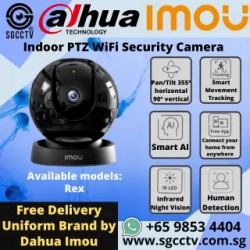

Imou WiFi IP Camera Rex
Availability: In Stock
$98
Imou WiFi IP Camera Rex Warning Light Siren IR Night Vision Human Detection PTZ CCTV Security Cameras Singapore Repair Replace NEWCHOICECYCLE CCTV offer the best Imou WiFi IP Camera Rex Warning Light Siren IR Night Vision Human Detection PTZ CCTV Security Cameras Singapore Repair Replace NEW.Imou Rex 2MP / 4MP Smart Home CameraOverviewThe Imou Rex is a sleek and intelligent home security camera designed for 360° coverage, smart tracking, and human detection. With pan & tilt capabilities, night vision, and privacy mode, it offers comprehensive surveillance while maintaining user-friendly control via the Imou app. Available in 2MP and 4MP versions, this camera ensures ultra-detailed images and real-time monitoring to keep your home safe.Key Features360° Full Coverage: 355° pan & 90° tilt ensures no blind spots.Smart AI Detection: Advanced algorithm detects human motion accurately and sends instant alerts.Smart Tracking: Automatically follows the movement of detected objects.Night Vision: Infrared technology provides 24/7 protection in low-light conditions.Warning Light & Siren: Deterrent feature to scare away unwelcome visitors.Privacy Mode: One-click privacy control automatically lowers the camera lens.Two-Way Audio: Built-in speaker and microphone allow real-time communication.Multiple Storage Options:SD Card: Supports up to 16 days of local storage.NVR Compatibility: Works with all NVRs that support Onvif protocol.Cloud Storage: Secure 30-day free trial for new users.Imou Protect Subscription: Enhances AI detection, extends cloud storage, and allows multiple user access.Camera SpecificationsResolution: 2MP (1080p) / 4MP (2K) optionsLens: High-definition for ultra-clear imagesPan/Tilt: 355° horizontal, 90° verticalConnectivity: Wi-Fi enabled for remote access via the Imou appPower Supply: DC 5V / 2AOperating Conditions: Indoor use, -10°C to 50°CWhy Choose Imou Rex?Sleek & Modern Design: Blends seamlessly with home decor.Real-Time Alerts: Get instant push notifications on your phone.Versatile Installation: Suitable for homes, offices, and retail environments.Easy Integration: Connects effortlessly to smart home systems and NVRs.Contact UsStore Location:SGCCTV Choicecycle, Sim Lim Square CCTV Specialist #02-81Operating Hours:11 AM – 8 PMWhatsApp:+65 98534404 (for stock inquiries before visiting)Email:enquiry@choicecycle.com.sgWebsite:https://sgcctv.com.sgConclusionThe Imou Rex is a powerful and reliable home security camera that ensures your family and property remain safe. With AI-powered detection, night vision, and cloud storage options, it provides seamless monitoring and easy remote access. Get yours today and experience enhanced home security with smart surveillance technology!Imou WiFi IP Camera Rex Warning Light Siren IR Night Vision Human Detection PTZ CCTV Security Cameras Singapore Repair Replace NEW DAHUA CCTV CAMERA PTZ DAHUA BUDGET IP CAMERA DH-ED125-E DH-SF125-E || DAHUA CCTV DOME 2MP HDW2241TP-S ||DAHUA IP CAMERA IPC-HDW2249T-S-IL || DAHUA CCTV DOME 4MP HDW2441TP-S ||DAHUA CCTV DOME 4MP DH-IPC-DHBW2441R || DAHUA CCTV DOME 4MP DH-IPC-DHBW2441E-S ||Panoramic Network Fisheye IPC-EBW8630 || DAHUA CCTV Pan-Tilt-Zoom DH-SD29204T-GN-W ||DAHUA CCTV Pan-Tilt-Zoom SD22404DB-GNY || DAHUA CCTV Pan-Tilt-Zoom SD22204DB-GNY ||Dahua IVS Camera SD3A400-GN-A-PV ||Dahua IMOU Cue C22P No Drilling Wall Ceiling || DAHUA IMOU CRUISER 4G || CCTV CAMERA BRACKET PFA135 PFA152-E LR1002 ||DAHUA CCTV DVR NVRDAHUA 32CH NVR NVR5432-EI DHI-NVR5832-EI || DAHUA 32CH NVR NVR5432-EI DHI-NVR5832-EI || Dahua Network Video Recorder NVR5432-EI || DAHUA 64CH NVR DHI-NVR5464-EI NVR5864-EI ||DAHUA ACCESS CONTROL VIDEO INTERCOM || DAHUA Face Recognition Control DHI-ASI3213A-W ||DAHUA VIDEO INTERCOM VTH2421FB(W)-P || DAHUA SWITCH SOLUTIONSDAHUA Drone Thermal Camera DHI-UAV-V3300 || Industrial Drone Thermal Camera with Gimbal ||Video Wall System LS550UDM-EG Display Panels || Solar-Powered CCTV DH-SD6C3432XB-HNR-AGQ-PV 4MP 32X ||Solar-Powered CCTV KIT DH-PFM364L-D11. Collection from SGCCTV Choicecycle Sim Lim Square CCTV SPECIALIST #02-81 11am~8pm. Whatsapp 98534404 for stock level before visit. 2. Payment by PayNow 201207820GOPTIONAL : UPS Box + Battery + Exit Button + Emergency Break Glass + Em Lock + LZ Bracket / U Bracket $220.00 (PWP)Imou WiFi IP Camera Rex Warning Light Siren IR Night Vision Human Detection PTZ CCTV Security Cameras Singapore Repair Replace NEWThe potential users of the DAHUA Water-proof RFID ASI1201E may include:Commercial and Industrial Facilities: These could be factories, warehouses, or distribution centers where access control is crucial for security and safety reasons. The water-proof feature makes it suitable for outdoor installations or environments where exposure to water is a concern.Government Buildings and Offices: Government facilities often have strict security requirements, and RFID-based access control systems can help manage access efficiently. The water-proof design ensures reliable operation even in outdoor settings or areas prone to moisture.Educational Institutions: Schools, colleges, and universities may use water-proof RFID access control systems to regulate access to classrooms, laboratories, and administrative areas. The technology provides convenience for students and staff while ensuring security.Healthcare Facilities: Hospitals, clinics, and medical offices can benefit from RFID-based access control to restrict access to sensitive areas like patient rooms, pharmacies, and medical supply storage. The water-proof feature is essential for maintaining functionality in sterilized or damp environments.Residential Buildings: High-rise apartments, gated communities, and condominiums may employ water-proof RFID access control systems to manage entry into buildings, parking lots, and amenities areas.Hotels and Hospitality: Hotels and resorts can use RFID technology for keyless entry to guest rooms and secure areas like spas or fitness centers. The water-proof feature is advantageous for poolside or beachfront installations.Transportation Hubs: Airports, train stations, and bus terminals may utilize water-proof RFID access control systems for secure entry into restricted areas such as control rooms, maintenance facilities, and baggage handling areas.Sports Facilities and Stadiums: Stadiums, arenas, and sports complexes may implement water-proof RFID access control systems for managing entry to VIP suites, locker rooms, and equipment storage areas.Retail Stores and Shopping Centers: Retailers may use RFID technology for secure access to back-of-house areas, storage rooms, and inventory management spaces. The water-proof feature ensures reliability in indoor or outdoor retail environments.Data Centers and IT Facilities: Data centers and IT infrastructure facilities often require stringent access control measures to protect sensitive equipment and information. Water-proof RFID access control systems can provide secure entry into server rooms and network operations centers.These are just a few examples of potential users of the DAHUA Water-proof RFID ASI1201E. The versatility and reliability of the product make it suitable for various industries and applications where secure and weather-resistant access control is necessary.Imou WiFi IP Camera Rex Warning Light Siren IR Night Vision Human Detection PTZ CCTV Security Cameras Singapore Repair Replace NEW
- New

Imou WiFi IP Camera Ranger 2
Availability: In Stock
$176
Imou WiFi IP Camera Ranger 2 Warning Light Siren IR Night Vision 360° Coverage 4MP CCTV Security Cameras Singapore Repair Replace NEWCHOICECYCLE CCTV offer the best Imou WiFi IP Camera Ranger 2 Warning Light Siren IR Night Vision 360° Coverage 4MP CCTV Security Cameras Singapore Repair Replace NEW.Imou Versa Smart Security CameraOverviewThe Imou Versa is a compact and versatile indoor/outdoor security camera with smart color night vision, built-in spotlight, and 110dB siren. Designed to withstand various weather conditions (IP65-rated), Versa ensures enhanced security for homes and businesses. Its easy installation options and AI-powered human detection make it a reliable and efficient surveillance solution.Key FeaturesIndoor & Outdoor Use: Weather-resistant (IP65-rated) for all conditions.Smart Color Night Vision: Choose between four night vision modes:Smart Mode: Auto-switches between infrared and color mode upon detecting motion.Color Mode: Keeps night vision in full color using built-in spotlights.Infrared Mode: Provides clear black-and-white images in total darkness.Off Mode: Disables night vision and spotlights.110dB Siren & Spotlight: Deters intruders with instant alerts and warning signals.AI-Powered Human Detection: Reduces false alarms and sends instant notifications.Wide-Angle Lens: 114° diagonal field of view for maximum coverage.Two-Way Audio: Built-in microphone and speaker for real-time interaction.Diversified Storage Options:SD Card: Supports up to 16 days of local recording.NVR Compatibility: Works with all NVRs supporting Onvif protocol.Cloud Storage: Secure 30-day free trial for new users.Advanced Compression Technology:Uses H.265 compression to reduce bandwidth and storage by 70%.Flexible Installation:Magnetic Mounting: Quick and tool-free setup.Sticker Installation: Easy placement without drilling.Standard Drilling: Secure installation for long-term use.Camera SpecificationsResolution: High-definition video qualityLens: 2.8mm wide-angle for enhanced coverageConnectivity: Wi-Fi enabled for seamless remote accessPower Supply: DC 5V / 2AOperating Conditions: Indoor & outdoor use, -10°C to 50°CWhy Choose Imou Versa?Compact & Modern Design: Fits seamlessly into any environment.Instant Alerts: Real-time push notifications to your phone.Weatherproof Durability: Functions reliably in rain, wind, and sand.Enhanced Security: AI detection, siren, spotlight, and cloud storage for maximum protection.Contact UsStore Location:SGCCTV Choicecycle, Sim Lim Square CCTV Specialist #02-81Operating Hours:11 AM – 8 PMWhatsApp:+65 98534404 (for stock inquiries before visiting)Email:enquiry@choicecycle.com.sgWebsite:https://sgcctv.com.sgConclusionThe Imou Versa is an excellent security solution for both indoor and outdoor use. With smart AI detection, full-color night vision, and flexible storage options, it delivers round-the-clock surveillance in a compact and stylish design. Secure your home or business today with the Imou Versa Smart Security Camera!Imou WiFi IP Camera Ranger 2 Warning Light Siren IR Night Vision 360° Coverage 4MP CCTV Security Cameras Singapore Repair Replace NEW DAHUA CCTV CAMERA PTZ DAHUA BUDGET IP CAMERA DH-ED125-E DH-SF125-E || DAHUA CCTV DOME 2MP HDW2241TP-S ||DAHUA IP CAMERA IPC-HDW2249T-S-IL || DAHUA CCTV DOME 4MP HDW2441TP-S ||DAHUA CCTV DOME 4MP DH-IPC-DHBW2441R || DAHUA CCTV DOME 4MP DH-IPC-DHBW2441E-S ||Panoramic Network Fisheye IPC-EBW8630 || DAHUA CCTV Pan-Tilt-Zoom DH-SD29204T-GN-W ||DAHUA CCTV Pan-Tilt-Zoom SD22404DB-GNY || DAHUA CCTV Pan-Tilt-Zoom SD22204DB-GNY ||Dahua IVS Camera SD3A400-GN-A-PV ||Dahua IMOU Cue C22P No Drilling Wall Ceiling || DAHUA IMOU CRUISER 4G || CCTV CAMERA BRACKET PFA135 PFA152-E LR1002 ||DAHUA CCTV DVR NVRDAHUA 32CH NVR NVR5432-EI DHI-NVR5832-EI || DAHUA 32CH NVR NVR5432-EI DHI-NVR5832-EI || Dahua Network Video Recorder NVR5432-EI || DAHUA 64CH NVR DHI-NVR5464-EI NVR5864-EI ||DAHUA ACCESS CONTROL VIDEO INTERCOM || DAHUA Face Recognition Control DHI-ASI3213A-W ||DAHUA VIDEO INTERCOM VTH2421FB(W)-P || DAHUA SWITCH SOLUTIONSDAHUA Drone Thermal Camera DHI-UAV-V3300 || Industrial Drone Thermal Camera with Gimbal ||Video Wall System LS550UDM-EG Display Panels || Solar-Powered CCTV DH-SD6C3432XB-HNR-AGQ-PV 4MP 32X ||Solar-Powered CCTV KIT DH-PFM364L-D11. Collection from SGCCTV Choicecycle Sim Lim Square CCTV SPECIALIST #02-81 11am~8pm. Whatsapp 98534404 for stock level before visit. 2. Payment by PayNow 201207820GOPTIONAL : UPS Box + Battery + Exit Button + Emergency Break Glass + Em Lock + LZ Bracket / U Bracket $220.00 (PWP)Imou WiFi IP Camera Ranger 2 Warning Light Siren IR Night Vision 360° Coverage 4MP CCTV Security Cameras Singapore Repair Replace NEWThe potential users of the DAHUA Water-proof RFID ASI1201E may include:Commercial and Industrial Facilities: These could be factories, warehouses, or distribution centers where access control is crucial for security and safety reasons. The water-proof feature makes it suitable for outdoor installations or environments where exposure to water is a concern.Government Buildings and Offices: Government facilities often have strict security requirements, and RFID-based access control systems can help manage access efficiently. The water-proof design ensures reliable operation even in outdoor settings or areas prone to moisture.Educational Institutions: Schools, colleges, and universities may use water-proof RFID access control systems to regulate access to classrooms, laboratories, and administrative areas. The technology provides convenience for students and staff while ensuring security.Healthcare Facilities: Hospitals, clinics, and medical offices can benefit from RFID-based access control to restrict access to sensitive areas like patient rooms, pharmacies, and medical supply storage. The water-proof feature is essential for maintaining functionality in sterilized or damp environments.Residential Buildings: High-rise apartments, gated communities, and condominiums may employ water-proof RFID access control systems to manage entry into buildings, parking lots, and amenities areas.Hotels and Hospitality: Hotels and resorts can use RFID technology for keyless entry to guest rooms and secure areas like spas or fitness centers. The water-proof feature is advantageous for poolside or beachfront installations.Transportation Hubs: Airports, train stations, and bus terminals may utilize water-proof RFID access control systems for secure entry into restricted areas such as control rooms, maintenance facilities, and baggage handling areas.Sports Facilities and Stadiums: Stadiums, arenas, and sports complexes may implement water-proof RFID access control systems for managing entry to VIP suites, locker rooms, and equipment storage areas.Retail Stores and Shopping Centers: Retailers may use RFID technology for secure access to back-of-house areas, storage rooms, and inventory management spaces. The water-proof feature ensures reliability in indoor or outdoor retail environments.Data Centers and IT Facilities: Data centers and IT infrastructure facilities often require stringent access control measures to protect sensitive equipment and information. Water-proof RFID access control systems can provide secure entry into server rooms and network operations centers.These are just a few examples of potential users of the DAHUA Water-proof RFID ASI1201E. The versatility and reliability of the product make it suitable for various industries and applications where secure and weather-resistant access control is necessary.Imou WiFi IP Camera Ranger 2 Warning Light Siren IR Night Vision 360° Coverage 4MP CCTV Security Cameras Singapore Repair Replace NEW
- New

TP-LINK Gigabit VPN WiFi Router FR365
Availability: In Stock
$295
TP-LINK Gigabit VPN WiFi Router FR365 Cheapest WIFI Router Access Point High Speed Switch Singapore Router Access Point Repair NEWFesta FR365 AX3000 Gigabit VPN WiFi RouterOverviewThe Festa FR365 is a high-performance AX3000 Gigabit VPN WiFi Router designed to provide business-class networking with consumer-level simplicity. Featuring WiFi 6, centralized cloud management, and advanced security options, it is ideal for small businesses, home offices, cafes, retail, and large households.Key FeaturesWiFi 6 Speeds up to 3.0 Gbps: 2402 Mbps on 5 GHz and 574 Mbps on 2.4 GHz for faster, more reliable connections.6× Gigabit Ports (Including 1 SFP): High-speed wired connectivity.1× USB 3.0 WAN Port: Supports 4G/3G modem backup for uninterrupted internet access.Load Balancing on Up to 5 WAN Ports: Optimizes bandwidth utilization across multiple connections.Advanced VPN Security: Supports IPSec, PPTP, L2TP, and OpenVPN for secure remote access.Seamless Mesh WiFi: Expand coverage without extra cabling.Zero-Touch Provisioning (ZTP): Simplifies installation and setup.Cloud-Based Centralized Management: Manage your network anytime, anywhere via the Festa app or web interface.Business-Quality Build: Elegant metal casing, desktop or wall-mountable.WiFi & Network PerformanceHE160: Doubles peak transmission data rate per stream.OFDMA: Allows multiple devices to share a transmission, increasing efficiency.1024-QAM: 25% more data transmission capacity.Mesh Networking: Ensures uninterrupted roaming when moving between router and access points.Connectivity & SecurityMulti-WAN Capability: Up to 5 WAN Gigabit Ports & 1 USB WAN for mobile broadband backup.High-Security VPN: Establishes secure VPN tunnels for safe browsing, branch communication, and remote work.WiFi Voucher Authentication: Secure guest access with easy onboarding.Website Filtering & Access Control: Block unwanted sites and manage internet access rights.Setup & ManagementFesta App & Web Interface: Quick and easy setup with remote network management.Topology View & Heat Maps: Comprehensive network visualization tools.Batch Configuration & VLAN Settings: Efficient network customization.Guest Network & Fast Roaming: Enhanced experience for multiple users.Why Choose Festa FR365?No IT Expertise Needed: Designed for small businesses and advanced home users.Reliable & Secure: High-performance networking with enterprise-grade security.Cloud-Managed: Free centralized management with the Festa Cloud.Versatile Use Cases: Ideal for offices, cafes, hotels, houses of worship, public spaces, and large homes.Contact UsStore Location:SGCCTV Choicecycle, Sim Lim Square CCTV Specialist #02-81Operating Hours:11 AM – 8 PMWhatsApp:+65 98534404 (for stock inquiries before visiting)Email:enquiry@choicecycle.com.sgWebsite:https://sgcctv.com.sgConclusionThe Festa FR365 is a powerful and easy-to-use AX3000 VPN WiFi Router, offering high-speed performance, advanced security, and seamless cloud management. Ideal for businesses and tech-savvy home users, it delivers reliable networking without the need for an IT professional. Upgrade your network with the Festa FR365 today!TP-LINK Gigabit VPN WiFi Router FR365 Cheapest WIFI Router Access Point High Speed Switch Singapore Router Access Point Repair NEW
- New
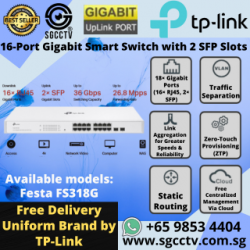

TP-LINK 16-Port Gigabit Switch 2-SFP FS318G
Availability: In Stock
$190
TP-LINK 16-Port Gigabit Switch 2-SFP FS318G Cheapest WIFI Router Access Point High Speed Switch Singapore Router Access Point Repair NEWFesta FS318G 16-Port Gigabit Smart Switch with 2 SFP SlotsOverviewThe Festa FS318G is a high-performance 16-port Gigabit Smart Switch designed for small businesses, home offices, cafes, retail stores, and advanced users. Featuring free cloud centralised management, Zero-Touch Provisioning (ZTP), and Self-Organising Network (SON), it offers effortless setup and management through the Festa app or web interface.Key FeaturesFull Gigabit Connectivity: 16× RJ45 Gigabit ports and 2× SFP Gigabit slots for ultra-fast data transmission.Cloud-Based Management: Free Festa app or web interface for remote monitoring and control.Zero-Touch Provisioning (ZTP): Simplifies deployment and setup without requiring IT expertise.Traffic Optimisation: VLAN, Link Aggregation, IGMP Snooping, and ACL for secure and efficient network performance.Fanless Silent Operation: Designed for noise-free environments.Durable Metal Casing: Sleek and rack-mountable design ensures reliability and longevity.Performance & ReliabilitySwitching Capacity: Up to 36 GbpsForwarding Rate: Up to 26.8 MppsTraffic Separation: VLAN support for network segmentation and enhanced security.Link Aggregation: Combines multiple network links for increased speed and reliability.Ideal for Various ApplicationsSmall Offices & Home Offices: Stable and secure networking for everyday business operations.Retail & Cafes: Reliable connection for point-of-sale systems and guest WiFi.Public Facilities & Large Homes: Seamless connectivity across multiple devices and locations.Advanced Security & ManagementAccess Control List (ACL): Restricts unauthorized network access.IGMP Snooping: Optimises multicast traffic to improve network efficiency.Network Segmentation: Create isolated VLANs for different departments or applications.Remote Management: Adjust settings, monitor usage, and troubleshoot via the Festa app or web interface.Why Choose Festa FS318G?No IT Expertise Required: Simple plug-and-play setup with automatic network optimisation.Scalable Solution: Supports growing businesses with advanced networking features.Silent & Energy-Efficient: Fanless design reduces noise and power consumption.Reliable Cloud Access: Manage your network anytime, anywhere with the Festa app.Contact UsStore Location:SGCCTV Choicecycle, Sim Lim Square CCTV Specialist #02-81Operating Hours:11 AM – 8 PMWhatsApp:+65 98534404 (for stock inquiries before visiting)Email:enquiry@choicecycle.com.sgWebsite:https://sgcctv.com.sgConclusionThe Festa FS318G is a smart, reliable, and high-speed network switch that caters to the needs of small businesses and advanced users. With gigabit performance, cloud management, and robust security features, it provides a seamless networking experience for diverse environments. Upgrade to the Festa FS318G today for enhanced connectivity and effortless control!TP-LINK 16-Port Gigabit Switch 2-SFP FS318G Cheapest WIFI Router Access Point High Speed Switch Singapore Router Access Point Repair NEW
- New
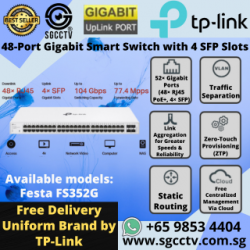

TP-LINK 48-Port Gigabit Switch 4-SFP FS352G
Availability: In Stock
$370
TP-LINK 48-Port Gigabit Switch 4-SFP FS352G Cheap WIFI Router Access Point High Speed Switch Singapore Router Access Point Repair NEWOverviewThe Festa FS352G is a sleek and intelligent home security camera designed for 360° coverage, smart tracking, and human detection. With pan & tilt capabilities, night vision, and privacy mode, it offers comprehensive surveillance while maintaining user-friendly control via a mobile app. Available in 2MP and 4MP versions, it ensures ultra-detailed images and real-time monitoring to keep your home safe.Key Features360° Full Coverage: 355° pan & 90° tilt ensures no blind spots.Smart AI Detection: Advanced algorithm detects human motion accurately and sends instant alerts.Smart Tracking: Automatically follows the movement of detected objects.Night Vision: Infrared technology provides 24/7 protection in low-light conditions.Warning Light & Siren: Deterrent feature to scare away unwelcome visitors.Privacy Mode: One-click privacy control automatically lowers the camera lens.Two-Way Audio: Built-in speaker and microphone allow real-time communication.Multiple Storage Options:SD Card: Supports up to 16 days of local storage.NVR Compatibility: Works with all NVRs that support Onvif protocol.Cloud Storage: Secure 30-day free trial for new users.Subscription Service: Enhances AI detection, extends cloud storage, and allows multiple user access.SpecificationsResolution: 2MP (1080p) / 4MP (2K) optionsLens: High-definition for ultra-clear imagesPan/Tilt: 355° horizontal, 90° verticalConnectivity: Wi-Fi enabled for remote access via the appPower Supply: DC 5V / 2AOperating Conditions: Indoor use, -10°C to 50°CWhy Choose the Festa FS352G Camera?Sleek & Modern Design: Blends seamlessly with home decor.Real-Time Alerts: Get instant push notifications on your phone.Versatile Installation: Suitable for homes, offices, and retail environments.Easy Integration: Connects effortlessly to smart home systems and NVRs.Contact UsStore Location:SGCCTV Choicecycle, Sim Lim Square CCTV Specialist #02-81Operating Hours:11 AM – 8 PMWhatsApp:+65 98534404 (for stock inquiries before visiting)Email:enquiry@choicecycle.com.sgWebsite:https://sgcctv.com.sgConclusionThis smart security camera is a powerful and reliable solution to ensure your family and property remain safe. With AI-powered detection, night vision, and cloud storage options, it provides seamless monitoring and easy remote access. Get yours today and experience enhanced home security with smart surveillance technology!TP-LINK 48-Port Gigabit Switch 4-SFP FS352G Cheap WIFI Router Access Point High Speed Switch Singapore Router Access Point Repair NEW
- New
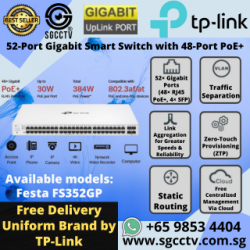

TP-LINK 52-Port Gigabit Switch PoE FS352GP
Availability: In Stock
$625
TP-LINK 52-Port Gigabit Switch PoE FS352GP Cheap WIFI Router Access Point High Speed Switch Singapore Router Access Point Repair NEWFesta FS352GP Smart PoE+ SwitchOverviewThe Festa FS352GP is a 52-port Gigabit smart switch with 48 PoE+ ports and 4 SFP slots, delivering high-speed connectivity and power efficiency. Designed for small businesses, home offices, cafes, and large households, this switch simplifies network deployment with Zero-Touch Provisioning (ZTP) and Self-Organizing Network (SON).Key FeaturesPower over Ethernet (PoE+):48× Gigabit PoE+ RJ45 ports, compliant with 802.3af/at standards.384W total PoE budget, with up to 30W per port to support IP cameras, access points, VoIP phones, and other PoE devices.High-Speed Data Transmission:4× Gigabit SFP slots for uplinks and long-distance fiber connections.Up to 104 Gbps switching capacity and 77.4 Mpps forwarding rate.Cloud-Based Centralized Management:Free Festa app and web UI for remote monitoring and configuration.Supports Zero-Touch Provisioning (ZTP) for effortless setup.Advanced Network Control:VLAN Support for secure and efficient network segmentation.Access Control Lists (ACL) and IGMP Snooping for enhanced security and performance.Link Aggregation to boost speeds and ensure reliability.User-Friendly Design:Rack-mountable metal casing for durability.Fanless operation for silent performance.SpecificationsPorts: 48× Gigabit PoE+ RJ45, 4× Gigabit SFPPoE Budget: 384W total, up to 30W per portSwitching Capacity: 104 GbpsForwarding Rate: 77.4 MppsManagement: Cloud-based via Festa app and web interfacePower Supply: Energy-efficient designWhy Choose This Switch?Ideal for SMBs & Home Networks: Supports growing network demands.Seamless PoE Integration: Simplifies device deployment without additional power sources.Cloud Management: Monitor and configure remotely from anywhere.Secure & Scalable: Advanced network controls for enhanced reliability.Contact UsStore Location:SGCCTV Choicecycle, Sim Lim Square CCTV Specialist #02-81Operating Hours:11 AM – 8 PMWhatsApp:+65 98534404 (for stock inquiries before visiting)Email:enquiry@choicecycle.com.sgWebsite:https://sgcctv.com.sgConclusionThe Festa FS352GP is a feature-rich smart PoE+ switch, offering powerful network management, high-speed connectivity, and simplified deployment. With advanced security features and cloud-based monitoring, it is an ideal choice for businesses and advanced users looking to enhance their network performance efficiently.TP-LINK 52-Port Gigabit Switch PoE FS352GP Cheap WIFI Router Access Point High Speed Switch Singapore Router Access Point Repair NEW
- New
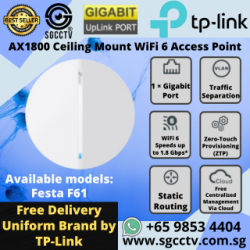

TP-LINK Ceiling Mount Access Point F61 High Speed Router
Availability: In Stock
$94
TP-LINK Ceiling Mount Access Point F61 Cheapest WIFI Router Access Point High Speed Switch Singapore Router Access Point Repair NEWFesta F61 AX1800 Ceiling Mount WiFi 6 Access PointOverviewThe Festa F61 is an AX1800 WiFi 6 ceiling mount access point, delivering high-speed and reliable wireless coverage for small businesses, cafes, hotels, public facilities, and large homes. It features cloud-based centralized management, self-organizing networking, and zero-touch provisioning, ensuring effortless setup and use without requiring professional IT support.Key FeaturesHigh-Speed WiFi 6: Speeds up to 1.8 Gbps – 574 Mbps on 2.4 GHz and 1201 Mbps on 5 GHz.Cloud-Based Management: Free centralized control via the Festa app or web interface.Effortless Setup: Zero-Touch Provisioning (ZTP) and Self-Organizing Networking (SON) simplify installation.Seamless Mesh Networking: Wireless connectivity remains smooth across multiple access points.PoE & DC Power: Supports 802.3af PoE or 12V DC power (adapter included) for flexible installation.Ultra-Slim Design: Compact form factor with easy ceiling mounting for discreet deployment.Performance & ConnectivityAdvanced WiFi 6 Technologies:HE 80: Wider bandwidth for increased performance.1024-QAM: 25% more data encoded per transmission for improved speeds.Supports up to 250 Clients: Handles high-density environments with OFDMA and MU-MIMO.1× Gigabit Ethernet Port: Ensures high-speed wired connections with PoE support.Seamless Roaming & Mesh NetworkingMesh Connectivity: Eliminates the need for additional wiring to expand network coverage.802.11 k/v/r Seamless Roaming: Ensures uninterrupted connectivity when moving between access points.Easy Installation & DeploymentTool-Free Mounting: Simple 3-step process – push up, rotate, and lock.Low-Profile Casing: Sleek design blends into any environment.Flexible Power Options: Use 802.3af PoE or the included DC adapter.Smart Management & SecurityFesta App & Web Management:Zero-Touch ProvisioningVLAN & Portal Authentication (Password & Voucher)Topology & Heat Map ViewBatch Configuration & Security FeaturesVPN SupportWhy Choose the Festa F61?Reliable, high-speed connectivity with WiFi 6 technologyEasy cloud-based management for hassle-free operationIdeal for businesses, hospitality, and large homesSupports multiple devices with seamless roaming and mesh networkingContact UsStore Location:SGCCTV Choicecycle, Sim Lim Square CCTV Specialist #02-81Operating Hours:11 AM – 8 PMWhatsApp:+65 98534404 (for stock inquiries before visiting)Email:enquiry@choicecycle.com.sgWebsite:https://sgcctv.com.sgConclusionThe Festa F61 is an innovative WiFi 6 access point, offering fast speeds, seamless connectivity, and easy cloud management. With advanced features like mesh networking, PoE support, and self-organizing networking, it is an ideal solution for businesses and homes seeking high-performance wireless coverage.TP-LINK Ceiling Mount Access Point F61 Cheapest WIFI Router Access Point High Speed Switch Singapore Router Access Point Repair NEW
- New
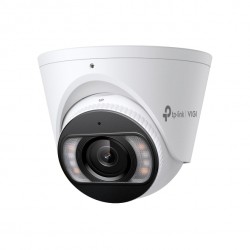
TP-LINK InSight S485PI VIGI 8MP IR Panoramic Turret Network
Availability: In Stock
$316
VIGI 8MP IR Panoramic Turret Network Camera SPEC: 8MP, 1.65mm Fixed Lens, 1/2.7?? Progressive Scan CMOS
- New

TP-LINK InSight S385PI VIGI 8MP Outdoor IR Panoramic Bullet
Availability: In Stock
$356
VIGI 8MP Outdoor IR Panoramic Bullet Network Camera SPEC: 8MP, 1.65mm Fixed Lens, 1/2.7?? Progressive Scan CMOS
- New

TP-LINK InSight S445ZI 4MP IR Motorized Varifocal Turret Net
Availability: In Stock
$318
4MP IR Motorized Varifocal Turret Network Camera SPEC: 4MP, 2.7mm~13.5mm Varifocal (5x), 1/2.9?? Progressive Scan CMOS
- New
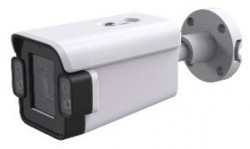
TP-LINK InSight S345ZI 4MP Outdoor IR Motorized Varifocal Bu
Availability: In Stock
$318
4MP Outdoor IR Motorized Varifocal Bullet Network Camera SPEC: 4MP, 2.7mm~13.5mm Varifocal (5x), 1/2.9?? Progressive Scan CMOS
- New
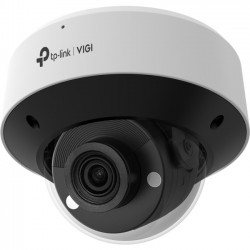
TP-LINK InSight S245ZI VIGI 4MP IR Motorized Varifocal Dome
Availability: In Stock
$338
VIGI 4MP IR Motorized Varifocal Dome Network Camera SPEC: 4MP, 2.7mm~13.5mm Varifocal (5x), 1/2.9?? Progressive Scan CMOS
- New

TP-LINK InSight S655I VIGI 5MP IR Fisheye Network Camera SPE
Availability: In Stock
$378
VIGI 5MP IR Fisheye Network Camera SPEC: 5MP, 1.4mm Fixed Lens, 1/2.7? Progressive Scan CMOS
- New
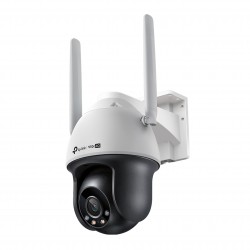
TP-LINK VIGI C540-4G(4mm) 4MP 4G LTE Full-Color Wi-Fi Pan/Ti
Availability: In Stock
$179
4MP 4G LTE Full-Color Wi-Fi Pan/Tilt Network Camera PEC: 4G Cat4 150/50 Mbps, LTE-FDD/LTE-TDD/HSPA+/UMTS, H.265+/H.265/H.264+/H.264, 1/3"""" Progressive Scan CMOS
- New

TP-LINK VIGI C540V 4MP Dual-Lens Varied Focal Full-Color PT
Availability: In Stock
$219
4MP Dual-Lens Varied Focal Full-Color PT Camera PEC:H.265+/H.265/H.264+/H.264, 1/3"" Progressive Scan CMOS
- New
You Viewed Recently